The complete rehearsal hub from audition to strike.
The schedule, files, chat, script and paperwork for every production are all in one place. Publish a call or post an announcement, and your entire company has it on their phone.
Run a show at no cost, and invite your cast and crew to join for free.
- Web
- iPhone
- Android
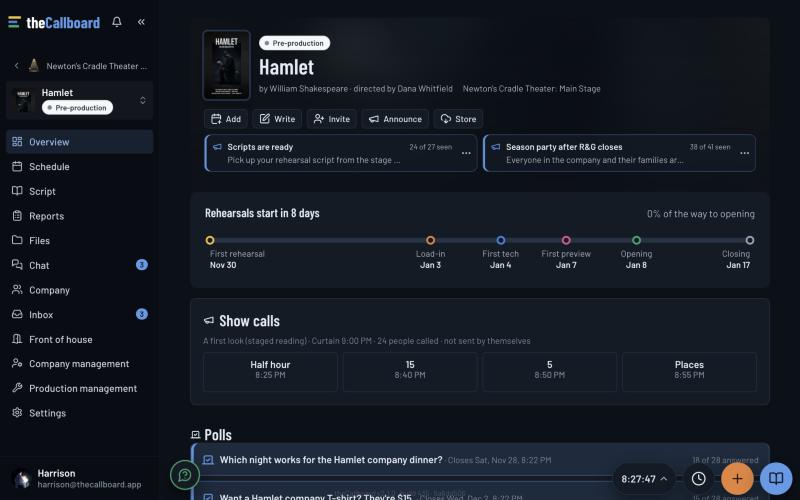
Hamlet's page counts down from first rehearsal to closing night, with the poster, the venue and who's directing.
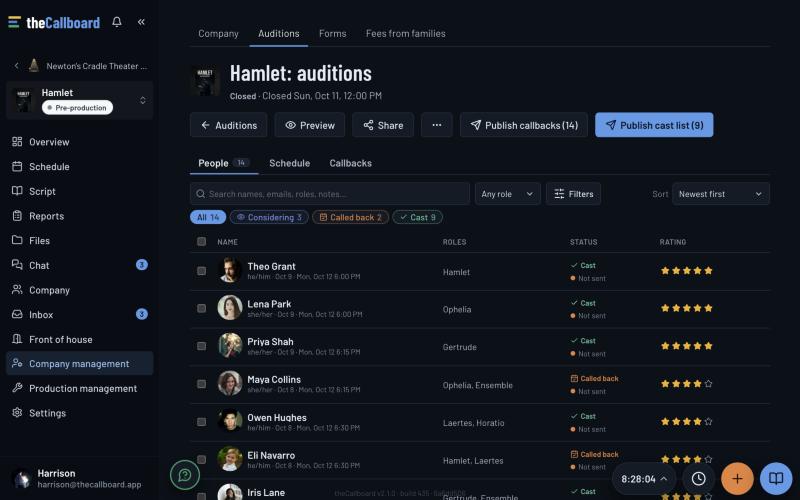
Fourteen people signed up for Hamlet, and the creative team rated them, called some back and has the cast list ready to publish.
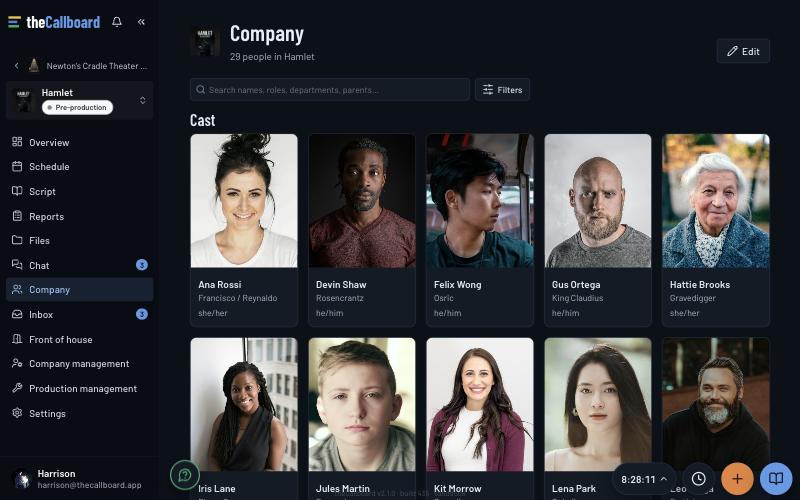
Everyone in Hamlet has a card with their headshot, role and pronouns, and the company joins free.
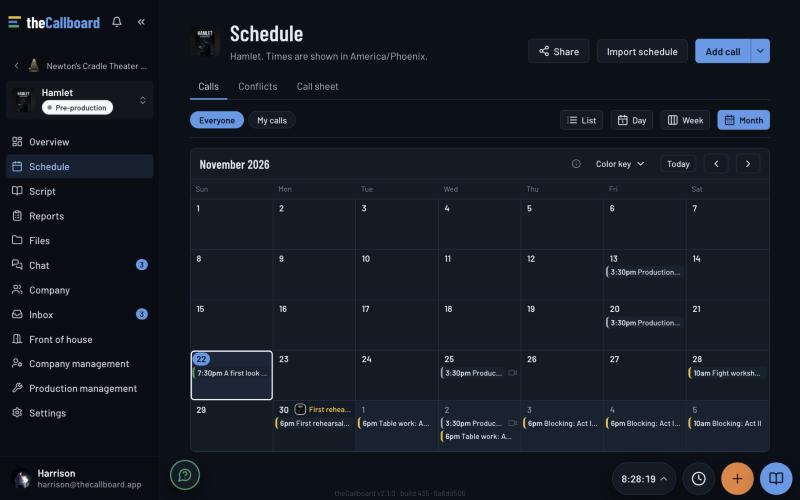
The month's calls go out to the people called, colored by the kind of call.
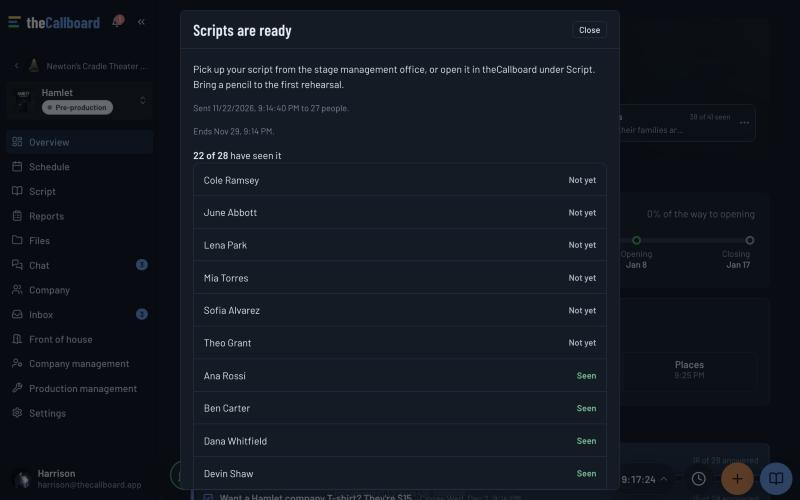
An announcement shows who has seen it and who hasn't yet.
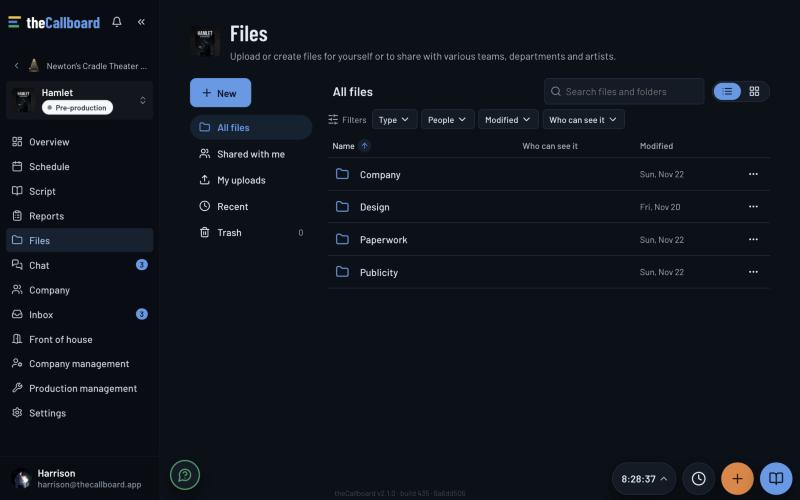
Each show has folders for the company, design, paperwork and publicity.
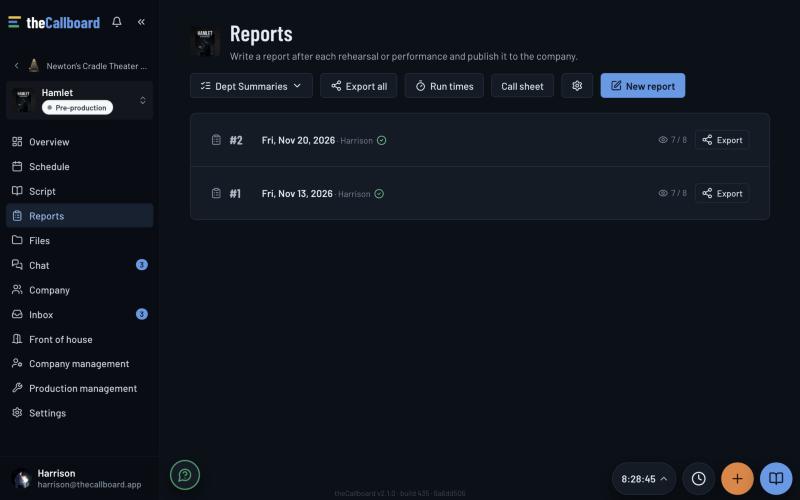
Rehearsal reports are numbered, and each one shows how many people have read it.
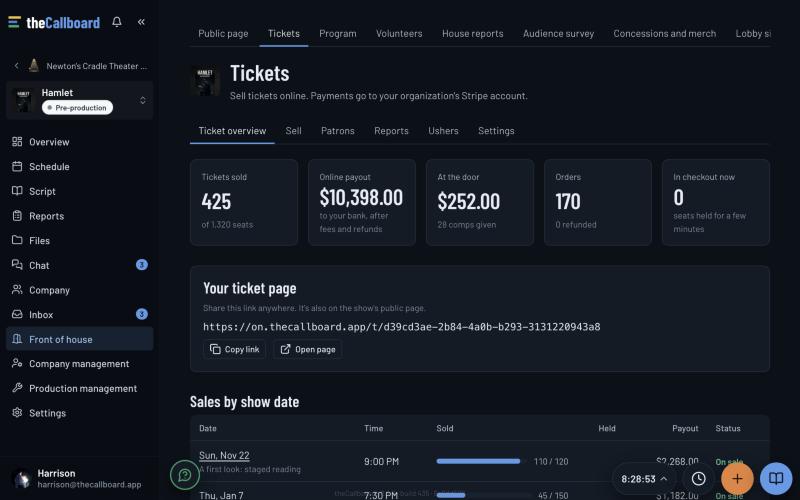
Tickets sell from the show's own page, and the box office sees every order and every sale at the door.
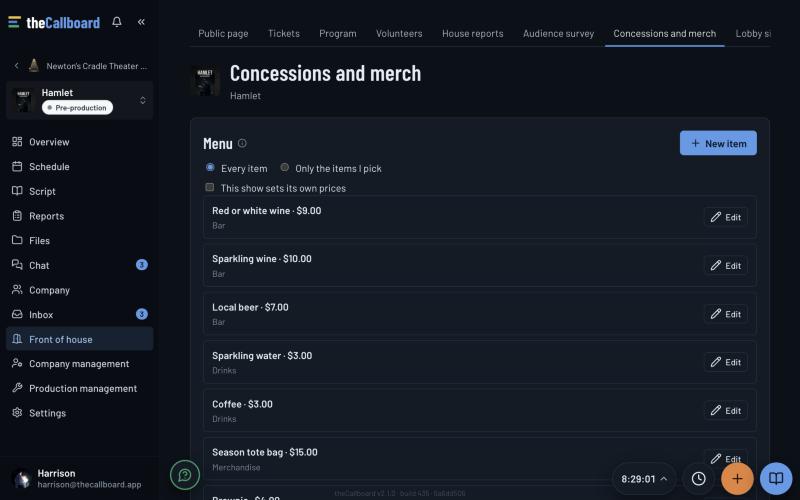
The bar and merch menu for the lobby is set up for the show, with its prices.
Everything that used to hang on the corkboard by the stage door is now on everyone's phone.
Made for stage managers who are tired of reply-all chains, and for actors who just want to know when to show up.
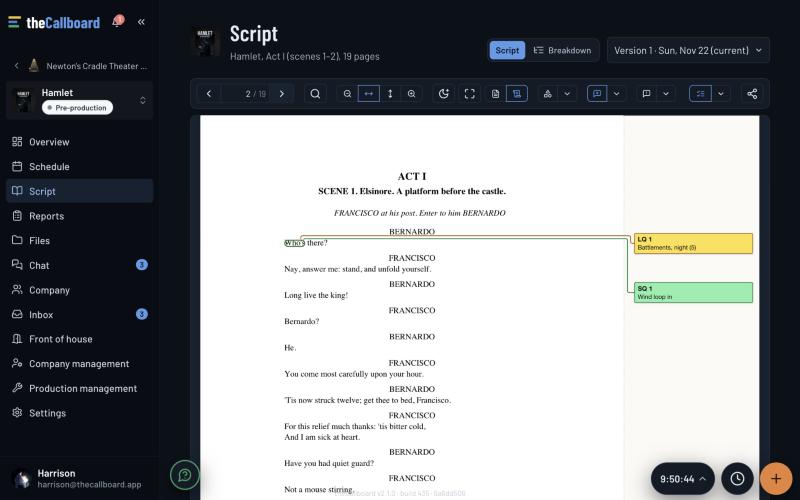
- The scriptBlocking, line notes and cues sit next to the line, and they carry over to the next draft.
- Rehearsal reportsReports are numbered, have notes for each department, and show who has read them.
- ConflictsCast and crew file their own conflicts, and managers see them while they build a call.
- AuditionsYou share a link, and headshots, résumés and conflicts arrive in one list for you to rate.
- Chat and video callsEach show has a group thread and direct messages, and nobody hands out a phone number.
- Tickets and LobbyYou sell tickets on the show's own page and check people in at the door.
- FilesEach department has its own folders, and every version of a file is kept.
- HistoryEvery change to calls, files and lists is kept, along with who made it.
- Text messagesText messages are coming soon, and until then reminders and changes reach everyone in the app, as push notifications and by email, at no cost.
Suit the action to the word, the word to the action.
Who makes theCallboard
theCallboard was built by theatre artists who believed there had to be an easier way to organize and produce a show. Between us, we produce or work on dozens of productions every year, from high school and community theatre to professional companies, and we built theCallboard around the problems we kept running into on every one of them. Our goal is to put artists back in control of their productions and to make life easier for the artists and technicians behind the scenes. Whether you're the only admin in your organization or you have a full team of managers, designers and creatives filling your empty space, theCallboard is built to fit the way you work.
Plans for each kind of organization
Always free for cast and crew
Free
For one show at a time.
- 1 active show
- 50 people across all shows
- 1 GB of storage
Community
For a community theatre or small company.
- 3 active shows
- Unlimited people
- 10 GB of storage
- 2 more content managers per show
For a busier company.
- 10 active shows
- Unlimited people
- 50 GB of storage
- Content managers on every show
- The show's email address, as an add-on
Education
For a school's theatre program, by card or invoice.
- Unlimited active shows
- 75 GB of storage
- Student managers
- Student privacy
For a college or university, by card or invoice.
- Unlimited active shows
- 150 GB of storage
- Student managers
- The show's email address
- Departments and school sign-in
Professional
Or $499 a show with a production pass.
- Unlimited active shows
- 150 GB of storage
- The show's email address
- Texts (coming soon)
- Your own branding
Or $1,999 a show with a production pass.
- Unlimited active shows
- 200 GB of storage
- The show's email address
- Texts (coming soon)
- Watermarks and single sign-on
Custom
For tours, school districts, festivals and groups of companies.
- Everything in every plan
- Manage numerous schools or campuses
- Storage sized to fit
- Single sign-on and your own domain
- An annual contract, paid by invoice
- A price quoted for your use
Every plan has calls, conflicts, reports, scripts, chat, tickets and Lobby, volunteer scheduling and the help panel.
Prices in US dollars. Change plans or cancel anytime. Only the shows you have open count toward a plan. The Education plans need a school email address, and Non-profit needs the EIN of a US tax-exempt organization. The show email pass is $25 a show for 6 months on Community Plus.
Compare every feature
Choose two to four plans to compare
Choose at least two plans above to see them side by side.
| Feature | Free | Community | Community Plus | Education – K–12 | Education – Collegiate | Non-profit | Commercial | Custom |
|---|---|---|---|---|---|---|---|---|
| Shows and people | ||||||||
| Active productions | 1 | 3 | 10 | Unlimited | Unlimited | Unlimited | Unlimited | Unlimited |
| Closed and archived shows | Unlimited | Unlimited | Unlimited | Unlimited | Unlimited | Unlimited | Unlimited | Unlimited |
| Company members, across all shows | 50 | Unlimited | Unlimited | Unlimited | Unlimited | Unlimited | Unlimited | Unlimited |
| Student managers | — | — | — | ✓ | ✓ | — | — | — |
| Content managers | Owners only | 2 more per show | ✓ | ✓ | ✓ | ✓ | ✓ | ✓ |
| Storage and messaging | ||||||||
| Storage | 1 GB | 10 GB | 50 GB | 75 GB | 150 GB | 150 GB | 200 GB | Quoted |
| Video meetings | 30 minutes a call, 60 minutes a day | ✓ | ✓ | ✓ | ✓ | ✓ | ✓ | ✓ |
| Text messages (coming soon) | — | — | Add-on (coming soon) | — | Add-on (coming soon) | Coming soon | Coming soon | Coming soon |
| The show's email address and Inbox | — | — | Add-on: $25 a show for 6 months | — | ✓ | ✓ | ✓ | ✓ |
| Tickets | ||||||||
| Tickets and the box office | ✓ | ✓ | ✓ | ✓ | ✓ | ✓ | ✓ | ✓ |
| theCallboard's fee per paid ticket | 65¢ | 65¢ | 65¢ | 50¢ | 50¢ | 75¢ | 75¢ | Quoted |
| Lobby (door sales, Tap to Pay) | ✓ | ✓ | ✓ | ✓ | ✓ | ✓ | ✓ | ✓ |
| Free month for paid tickets | 200 tickets in a month | 100 tickets in a month | 100 tickets in a month | — | — | — | — | — |
| Donations at checkout | ✓ | ✓ | ✓ | ✓ | ✓ | ✓ | ✓ | ✓ |
| Features | ||||||||
| Running a show: calls, conflicts, reports, call sheets, scripts, files, chat, announcements, polls, checklists, auditions and the show's page | ✓ | ✓ | ✓ | ✓ | ✓ | ✓ | ✓ | ✓ |
| ScriptWizard and ImportWizard | A few a month | ✓ | ✓ | ✓ | ✓ | ✓ | ✓ | ✓ |
| Young performers' protections | ✓ | ✓ | ✓ | ✓ | ✓ | ✓ | ✓ | ✓ |
| Seasons | — | ✓ | ✓ | ✓ | ✓ | ✓ | ✓ | ✓ |
| Venues | — | ✓ | ✓ | ✓ | ✓ | ✓ | ✓ | ✓ |
| Production calendar | — | ✓ | ✓ | ✓ | ✓ | ✓ | ✓ | ✓ |
Questions from the booth
Something else? Sign up and look around. The free plan doesn't expire.
Does everyone in the cast need to pay?
No. Plans are per organization. Actors, crew and creative team join free, as many as you need, and can be in shows from more than one organization with one account.
What happens if we stop paying for a plan?
Your organization moves to the Free plan. Nothing is deleted. If you have more open productions than the Free plan allows, you can keep working in them, but you can't open a new one until you close one or choose a paid plan.
Does theCallboard send text messages?
Not yet: texts are coming soon. Until then, reminders and changes reach everyone in the app, as push notifications and by email, at no cost.
Is there a phone app?
Yes, for iPhone and Android. The app shows your schedule across every show, lets you confirm calls and file conflicts, chat with the company, open files and the script, and sets reminders on the device so they work without signal. Everything also works in any browser.
Can we sell tickets to our shows?
Yes, on every plan. Your audience buys tickets on the show's own page, and the money goes to your organization's Stripe account and then to your bank. You choose whether the buyer or your organization pays theCallboard's fee and the card processing, and the fee per paid ticket for each plan is in the table above. Free tickets and comps cost nothing. At the door, theCallboard Lobby on iPhone and Android sells tickets and checks people in. See Sell tickets.
Does AI see who's in our company?
No. AI is off unless your organization turns it on, and even then, ImportWizard obfuscates names, email addresses and phone numbers (swapping them for stand-ins like “[person 4]”) before anything goes to an AI provider, and puts them back on our own server. Spreadsheet lists are read without AI (SheetReader), scripts can be read without AI too (ScriptReader), PDFs and photos are read on your device, and ScriptWizard sends only the script. See AI and your data, including the honest limits.
Can we use it for auditions before the show is cast?
Yes. Create the production, open an audition, and share the link. Submissions, headshots and résumés collect in one place, where the creative team can rate them and leave notes.
Can I change plans or cancel later?
Anytime, from your organization's billing page. A new plan takes effect immediately. If you cancel, you keep your plan until the end of the period you paid for, then move to Free.
Places, please.
Set up your organization in a couple of minutes, invite your company, and publish your first call tonight.